Devasya Innovations Logo Devasya Innovations

GlideBar

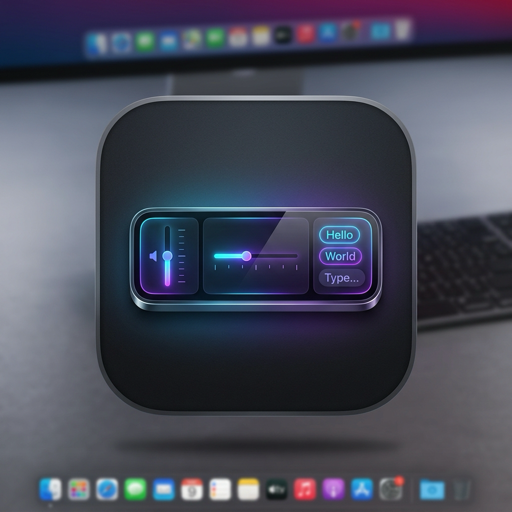
Intelligent Floating Touch Bar & Predictive Typing for macOS

Bring the interactive MacBook Touch Bar experience and iOS-style predictive typing to any Mac. Featuring real-time keystroke suggestions, next-word predictions, dynamic multi-resolution mouse resizing, live YouTube & Spotify scrubbers, and Apple Liquid Glass customization.

📝 Notes
✨ Next: you ⌃1 you so much ⌃2 god ⌃3
🔊 🎨

Intelligent Context & Predictive Power

🔤

1. Real-Time Predictive Typing & Autocomplete

Live spelling suggestions directly in the Touch Bar as you type on your physical keyboard.

  • Zero-Latency Interception: Instant hardware keycode detection works seamlessly across Safari, Notes, Stickies, Word, and Slack.
  • Native Spell Checking: Deep integration with macOS NSSpellChecker for autocorrect guesses and dictionary completions.
  • One-Tap Acceptance: Click any suggestion or press ⌃1, ⌃2, ⌃3 to replace partial words and insert the finished word with a trailing space.
🔮

2. Next-Word Predictions (Mobile QuickType Style)

Fluid sentence drafting inspired by iOS and mobile predictive keyboards.

  • Contextual Bigram Engine: Automatically suggests the top 3 most likely next words as soon as you complete a word with Space.
  • Fluid Sentence Chaining: Selecting a next-word prediction types it instantly and predicts the subsequent word, allowing rapid one-touch writing.
🖥️

3. Dynamic Screen Resolution & Mouse Resizing

Responsive scaling for every monitor from 1080p to 4K Retina.

  • Automatic Proportional Scaling: Clamps perfectly to screen bounds without clipping on low-res screens or shrinking on ultra-wide 4K displays.
  • Interactive Mouse Drag Handles: Hover over the left or right edges to reveal resize handles and manually adjust width to your exact preference.
  • Auto-Fit One Click: Reset anytime to the optimal screen width in the theme inspector.
🎬

4. Safari & Universal Media Timeline Scrubber

Precise playback control for YouTube, Apple Music, and Spotify.

  • Interactive Seek Bar: Drag or click to scrub backward and forward through videos and audio tracks in real time.
  • Visual Bookmarks: Quick-launch Apple, iCloud, Google, YouTube, and favorite websites with one tap.
  • Global Transport Controls: Instant Play/Pause, Next Track, and Previous Track.

5. Apple Liquid Glass UI & Custom Theming

State-of-the-art aesthetics tailored for macOS Sequoia and Sonoma.

  • 10 Curated Themes: Liquid Frost, Midnight Dark, Obsidian Black, Space Gray, Emerald Glass, and more.
  • Translucency & Blur Controls: Adjust frosted glass blur materials, glass opacity, and specular rim reflections.
  • Custom Icon Colors: Pick tailored text and icon hues for perfect contrast against dark or light wallpapers.
📂

6. Collapsible Dynamic App Context

Adapts automatically to the active application with collapsible controls.

  • Finder & Formatting: Instant view switchers for Finder, text styles (Bold, Italic, Lists) for Notes/Pages, and IDE commands.
  • One-Click Menu Collapse: Click the collapse toggle next to the app badge anytime to hide menus for a clean minimal bar.
  • Dedicated Close Button: One-tap quit button to dismiss GlideBar instantly.
🔒

7. 100% On-Device Privacy

Zero data collection. 100% offline security.

  • No Cloud Servers: Operates completely offline with zero external network transmission.
  • Zero Telemetry: Pure assistive UI with 0 keystroke logging or internet tracking.

Engineered with Swift & SwiftUI

GlideBar is crafted purely in Swift using native SwiftUI and AppKit frameworks. It runs as a lightweight floating panel with minimal battery impact, hardware-accelerated animations, and zero telemetry overhead.

Privacy Policy

Last Updated: August 31, 2026

1. Information Collection & Processing

GlideBar does not collect, record, transmit, or sell any personal information, device data, or typing history. Everything is calculated and rendered purely in local memory on your Mac.

2. System Permissions

GlideBar requests macOS Accessibility and Apple Events automation permissions solely to detect the frontmost active application title, display its native menu actions, and control media playback (Safari, Apple Music, Spotify). No keystrokes are recorded or transmitted.

3. Contact

For support or privacy inquiries, contact us at devasyainnovations@gmail.com.